Being Seen and Seeing: How Video Calls Work in Oktium
1. What Happens When You Accept a Call?
As soon as you accept a call in Oktium:
- The customer can see and hear you immediately. This means your video feed is active, and the customer can see your face and hear your voice. A warm smile and a friendly greeting set the right tone for the interaction.
- You may not see the customer right away. Initially, the customer’s camera is not activated, so you might be speaking to them without seeing them. However, there is a possibility that the customer may choose to turn on their camera immediately. This option is rare, but it’s important to be prepared for either scenario.
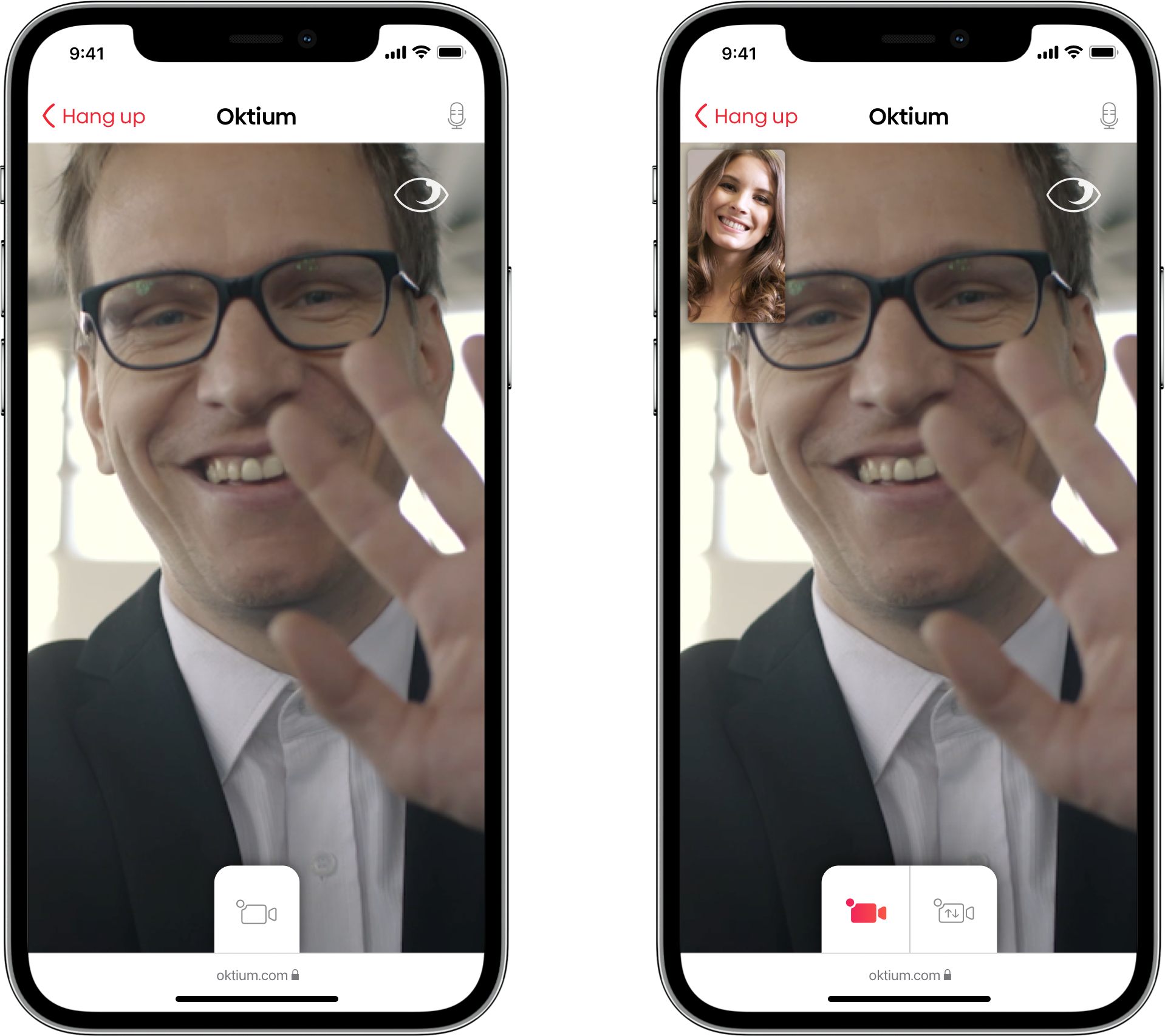
2. Customer’s Control Over Their Visibility
The customer has full control over whether they want to be seen during the call:
- The customer decides when (and if) to enable their camera. It’s entirely up to them whether they want to share their video feed with you. This feature respects the customer’s privacy and allows them to choose how they wish to interact.
- Requesting video from the customer: After some time into the call, especially if it would enhance the support you’re providing (e.g., troubleshooting or product guidance), you can politely ask the customer to enable their camera.
How to ask:
- “If it’s convenient for you, could you please enable your camera? It would help me assist you better.”
3. Explaining How the Customer Can Enable Their Camera
If the customer is unsure how to enable their camera, guide them with these simple instructions:
- Direct their attention to the camera icon at the bottom of their screen.
- Explain: “If you tap the camera icon at the bottom of your screen, your camera will turn on, and I’ll be able to see what you’re showing me.”
It’s important to reassure the customer that they are in control of their camera and can turn it off whenever they wish.
4. What You See During the Call
Depending on the customer’s choices:
- If the customer keeps their camera off: You will see a representation of what the customer is viewing on their screen. This might be useful for guiding them through processes or troubleshooting.
- If the customer enables their camera: Their video feed will appear on your main screen, while your video will move to a smaller thumbnail in the corner.
Tip: You can swap the views by tapping on the thumbnail if needed. You can also drag the thumbnail off the screen to hide it temporarily, bringing it back by tapping the screen again.
5. Respecting Customer Privacy
Always remember that while you are visible to the customer throughout the call, they may choose not to be seen. It’s crucial to respect their privacy:
- Acknowledge their choice by saying, “I completely understand if you prefer not to use your camera.”
- Offer reassurance that their privacy is important to you and that they are free to turn the camera on or off as they see fit.
Conclusion
Understanding the dynamics of visibility during an Oktium video call helps you create a more comfortable and effective experience for your customers. By knowing when and how you and your customer can be seen, you can better manage your interactions, ensuring that you provide the best possible service while respecting customer preferences.
Remember, your presence is always visible to the customer, and with this guide, you can navigate the interaction with confidence, ensuring a smooth and respectful communication flow.